
You’ve already nailed Seoul’s subway system and organized your saved places into color-coded folders like a pro. But here’s the thing — the real Korea starts when you leave Seoul. Busan, Jeonju, Gyeongju — these cities are calling, and getting there means mastering intercity travel. That’s exactly why you need this complete Naver Map Korea travel guide.
This is the final piece of our Naver Map series, and I’m covering everything tourists actually struggle with: how to use Naver Map for KTX train routes (with a brutal reality check on booking), survival app integrations like Kakao T and Papago, and the exact planning workflow I follow from two weeks before departure to the moment I land at Incheon Airport.
Table of Contents
Planning KTX & Intercity Travel (With the Cold Hard Truth)
Naver Map is absolutely brilliant for figuring out how to get from your Seoul hotel to Haeundae Beach in Busan. The app shows travel times, train options, and estimated fares — perfect for comparing whether you should take the KTX or catch a flight to Jeju Island.
Here’s how to search intercity routes:
- Open the Directions tab
- Set your departure point (ex: Seoul Station) and destination (ex: Busan Station)
- Tap the ‘Transit’ icon at the top
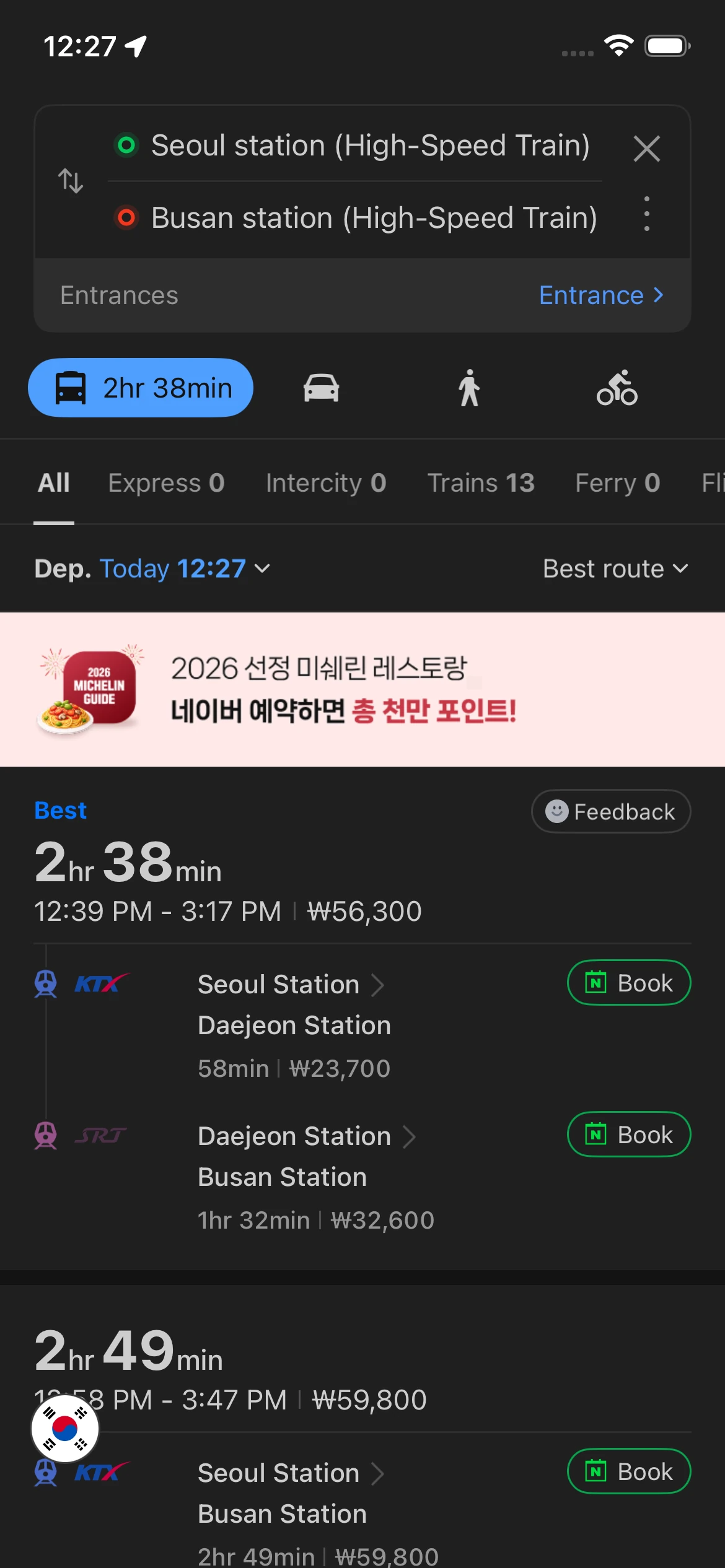
Naver instantly shows you the total journey time (about 2.5 hours on KTX) and ticket price (around ₩59,800 / ~$45 USD). Can’t beat that for planning.
The Foreign Tourist Train Booking Trap (Read Before You Try to Pay)
Here’s the painful reality most guides don’t tell you: foreign tourists cannot book train tickets directly inside the Naver Map app. The built-in booking feature requires Korean ID verification and Naver Pay. Even more frustrating — you’ll see search results showing both KTX and something called ‘SRT’ trains, and please don’t waste 30 minutes trying to book SRT. Their website rejects most international credit cards.
The stress-free solution: Use Naver Map strictly for checking train schedules and travel times. When it’s time to actually buy tickets, skip Korea Rail’s buggy official app and use a global platform that accepts foreign cards without drama. I always book KTX through Klook or Trip.com — perfect English support, zero payment errors. You’ll thank me later.
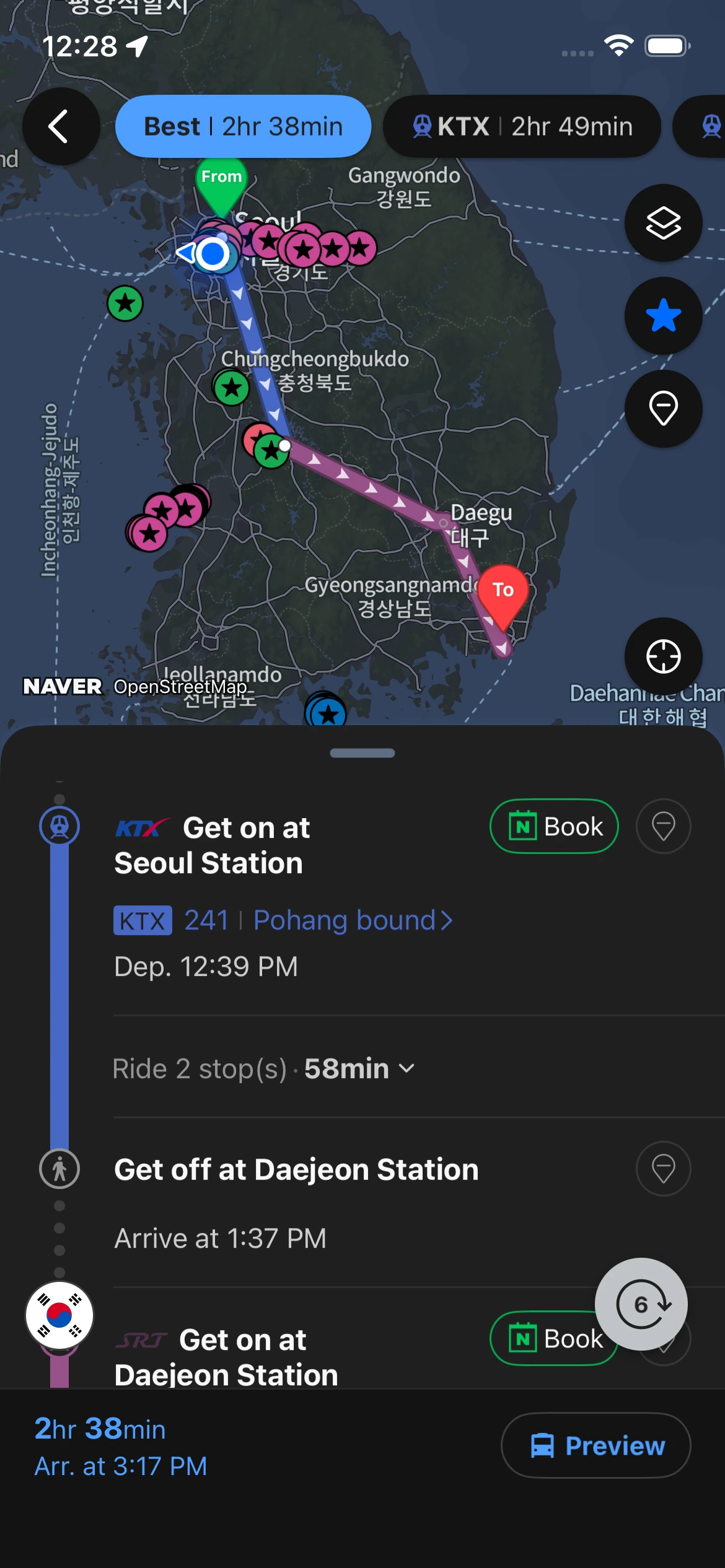
Fair warning about those Naver Map KTX booking tutorials floating around online — they’re mostly written assuming the reader is Korean. If any guide tells you to “just book directly in the app,” they’re talking about features you literally can’t access without Korean citizenship.
Essential Korea Travel Planning Apps Integration Guide
Naver Map alone is powerful, but combine it with Korea’s survival apps — Kakao T and Papago — and you’ll navigate like you’ve lived here for years.
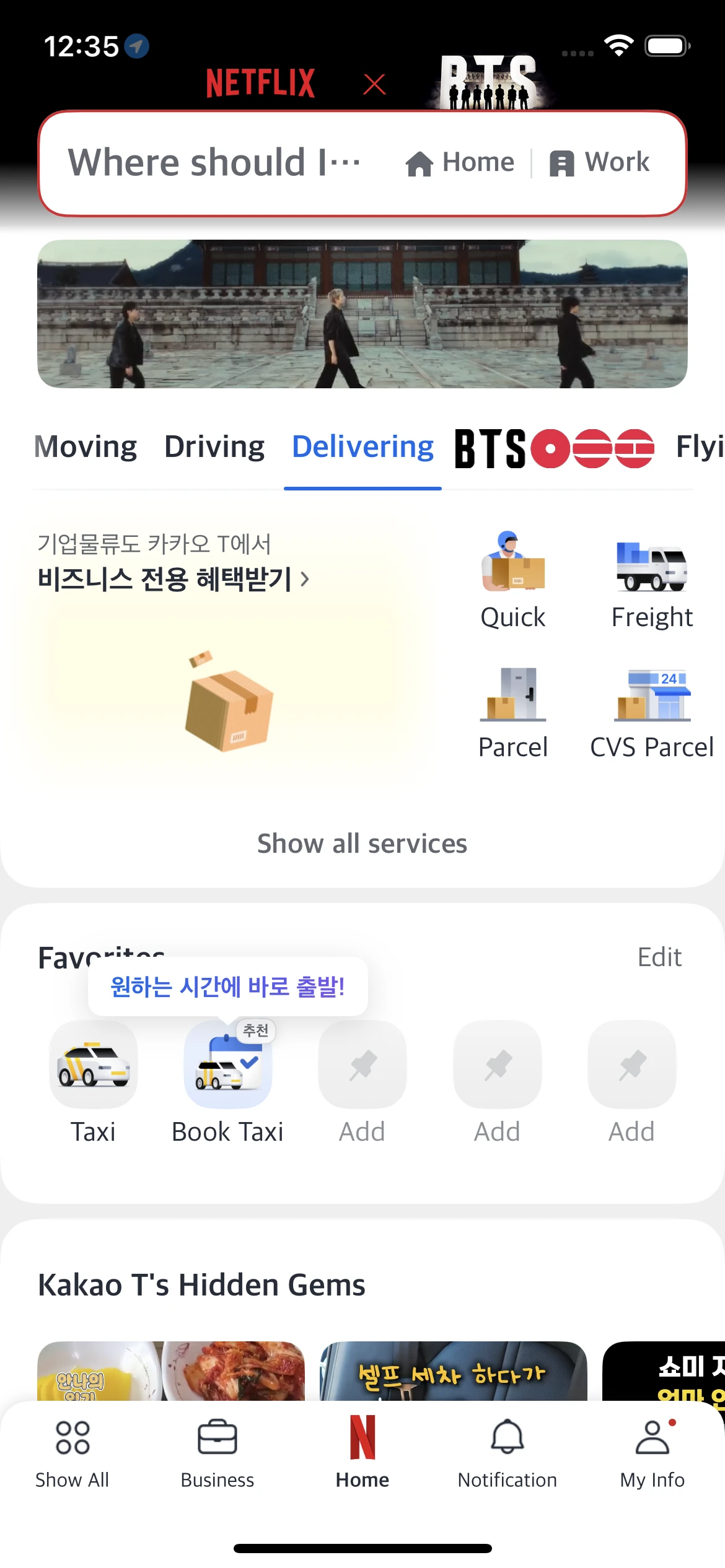
Naver Map + Kakao T (Zero Communication Errors with Taxi Drivers)
Trying to pronounce a Korean address to a taxi driver is a recipe for ending up in the wrong neighborhood. Do this instead:
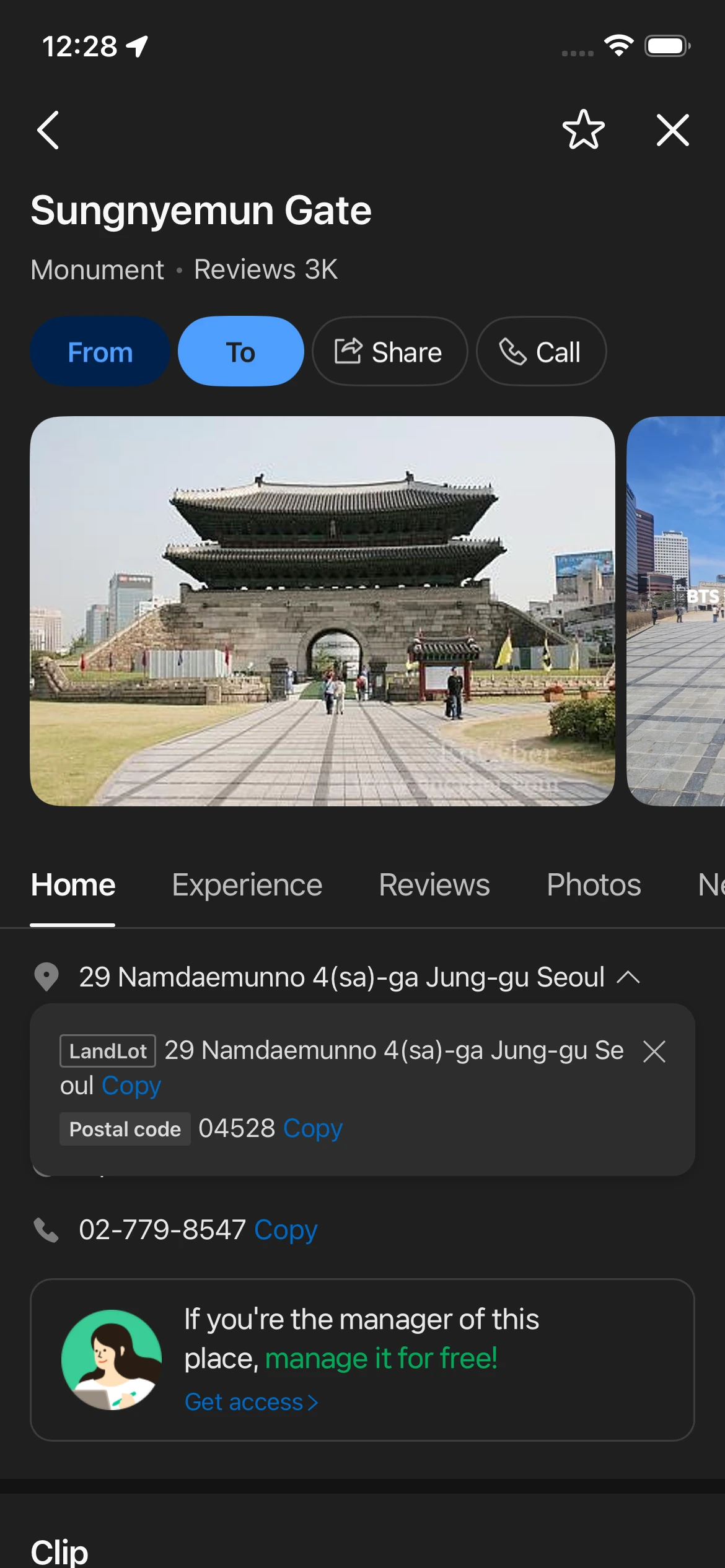
- Search for your exact destination in Naver Map
- On the place detail page, tap the ‘Copy’ icon next to the address
- Open Kakao T and paste it directly into the destination field
The driver’s GPS gets the perfect Korean address — no words needed, you arrive safely every time. If you haven’t set up the app yet, check out our setup guide for switching to English mode step-by-step.
Naver Map + Papago (Alleyway Restaurant Translation Hack)
You’re walking through Euljiro alleys and spot a tiny restaurant with incredible smells wafting out. The sign is 100% Korean, no English menu in sight. Here’s what you do:
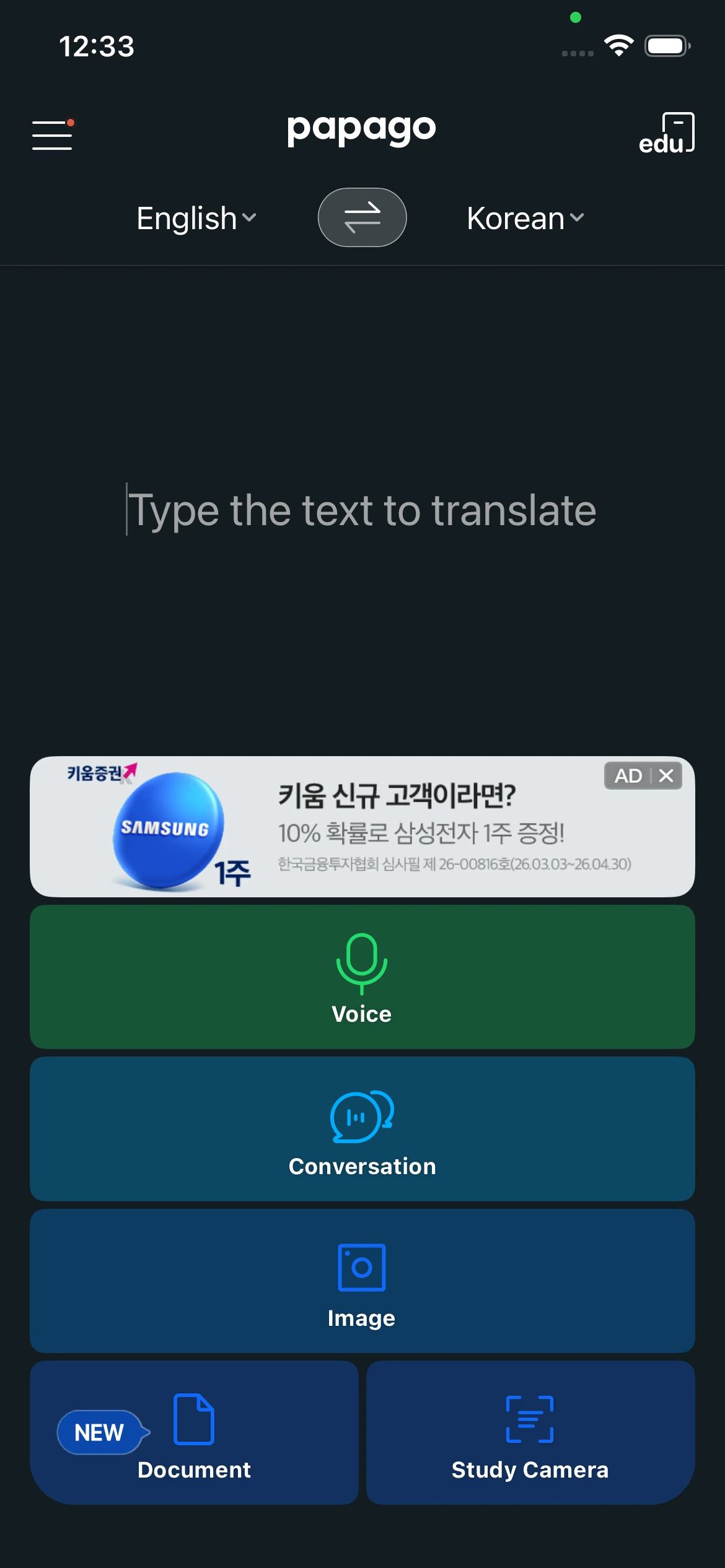
- Open Papago (Korea’s most accurate translation app)
- Turn on the camera function and point it at the restaurant sign
- Copy the translated Korean business name
- Paste it into Naver Map’s search bar to check break times and real reviews before you walk in
This combo has saved me from countless wasted trips during the dreaded 3–5pm break time closures.
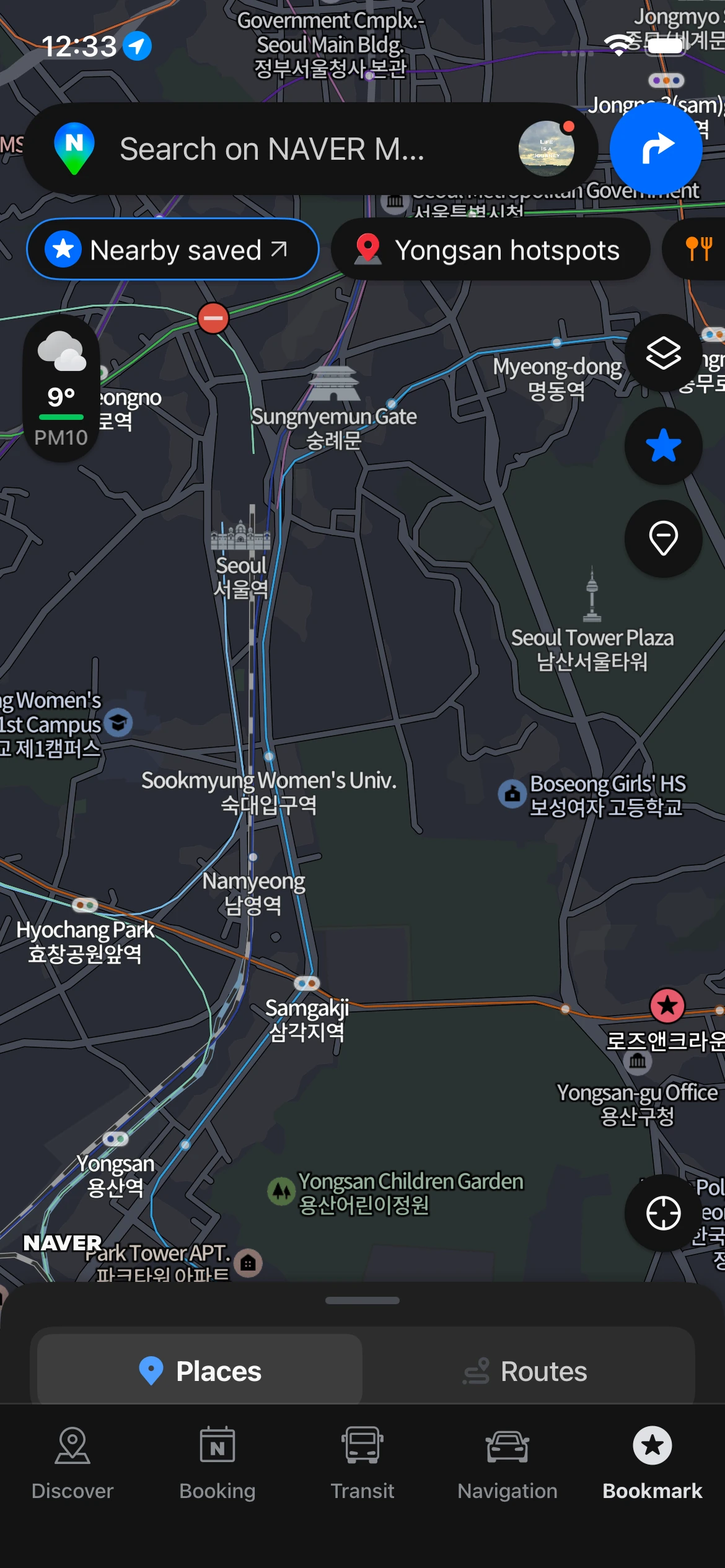
The Perfect Korea Travel Planning Timeline
Feeling overwhelmed about how to organize your itinerary? Here’s the exact timeline I follow when using Korea travel planning apps to plan trips efficiently.
2 Weeks Before Departure: Brain Dump Phase
- Spotted a cool place on TikTok, Instagram, or a blog? Search it immediately in Naver Map (remember that phone number search trick from our subway & bus guide?)
- Hit ‘Save’ and create color-coded folders (🔴 Restaurants, 🔵 Tourist Spots, 🟡 Cafés)
- Don’t worry about scheduling yet — just pin everything on your map and see where clusters form
1 Week Before Departure: Route Optimization
- Open your map and look at the pins. Group nearby pins into daily folders (ex: ‘Day 1 – Hongdae’)
- Use the Directions feature to calculate actual subway travel times between each spot in a day
- If you’re hopping to another city like Busan, book your KTX tickets NOW before they sell out
- Most important: Naver Map offline Korea doesn’t work — you need unlimited data from the second you land to navigate anywhere. Buy a Korea eSIM before your flight
After Landing: Real-Time Navigation
- Each morning, open only that day’s folder
- Before heading to a restaurant, tap the place to confirm it’s ‘Open’ and check for the brutal 3–5pm break time trap
- Discover something amazing while walking? Save it to your map instantly and adjust your plans on the fly
One more thing about offline map alternatives in Korea — honestly, there aren’t any good ones. Google Maps works fine for major landmarks but becomes useless for subway exits or finding Korean restaurants. Just get an eSIM. Trying to survive on public WiFi alone will ruin your trip.
3 Golden Rules for Using Naver Map
You can forget everything else in this Naver Map Korea travel guide, but memorize these three rules:
1. Search Smart: English spellings vary wildly. Don’t trust your romanization skills — for 100% accurate searches, always copy-paste the restaurant’s phone number or Korean business name.
2. Check the Details: Don’t just look at which line to take. Always check the subway car number for quick transfers (ex: [3-1]) and the exact exit number that puts you closest to your destination at ground level.
3. Pin Before You Go: Searching for places while standing in the middle of a crowded Seoul street is miserable. Save and organize your spots before the plane even takes off.
Korea’s public transit infrastructure is world-class. With Naver Map in your pocket, you can navigate like a local even with zero Korean language skills.
FAQ: Using Naver Map for Korea Travel
Can foreign tourists book KTX tickets directly in Naver Map?
Nope. The built-in booking feature requires Korean ID verification. Use Naver Map to check schedules and prices only, then book through Trip.com where international credit cards actually work
Does Naver Map work offline in Korea?
Unfortunately no. You need mobile data for real-time navigation, place searches, and transit directions. Buy an unlimited data eSIM at a discount — trying to survive on WiFi alone is a nightmare.
Should I use Kakao T or just Naver Map for taxis in Korea?
Use both together. Search your destination in Naver Map, copy the Korean address, then paste it into Kakao T when calling a taxi. This eliminates communication problems with drivers completely.
Can I use Naver Map in cities besides Seoul?
Absolutely. It works nationwide — from Busan to Jeju Island. Covers intercity buses, local transit, even hiking trails in national parks.
Korea’s public transit system is incredibly efficient once you know how to use it. Master these KTX booking workarounds and app integrations, and you’ll spend way less time stressing about transportation and way more time actually enjoying your trip. If you hit any roadblocks using the app, drop a question in the comments — I read and answer every single one!