
Here’s the thing about booking taxis in Korea: most tourists hit a wall with Kakao T because it asks for a Kakao account and a Korean phone number to register your card. If you’re visiting for a week or two, that’s… a lot of hassle. Enter k.ride — Kakao Mobility’s app built specifically for international travelers. You can sign up with your Gmail, pay with your Visa or Mastercard, and skip the local phone number entirely.
This guide walks you through exactly how to book a taxi in Korea using k.ride, from downloading the app before you land to actually calling your first ride in Seoul.
Table of Contents
What Is k.ride (and Why It Exists)
k.ride is the taxi app Korea made for tourists — no joke. Kakao Mobility (the company behind Kakao T, Korea’s most popular taxi app) launched it in June 2024 after realizing how many foreign visitors were stuck at Incheon Airport trying to figure out why their cards wouldn’t work.

k.ride uses the exact same nationwide taxi network as Kakao T, but it strips away all the barriers: no Kakao account, no Korean phone number for card registration, and full support for international credit cards (Visa, Mastercard, JCB, UnionPay). As of March 2025, travelers from over 100 countries have used it for more than 600,000 rides across Korea.
The k.ride app also includes real-time driver chat translation in 133 languages, so you can text your driver “I’m at the main entrance” in English and it’ll show up in Korean on their screen. Their reply comes back to you in English. Honestly, this feature alone has saved me from standing on the wrong side of a building more times than I’d like to admit.
Kakao T vs k.ride: Which One Should You Use?
Both apps work well, but they’re built for different situations. Here’s the actual difference — not the marketing version:
| Feature | Kakao T | k.ride |
|---|---|---|
| Sign-up | Requires Kakao account | Google, Apple, or email |
| Korean phone number | Needed to register card in-app | Not needed — works with foreign number |
| International cards | Difficult to register directly | Works right away |
| App languages | Korean, English, Japanese | English, Japanese, Chinese (Simplified/Traditional) |
| Driver chat translation | Not available | 133 languages, real-time |
| Coverage | Nationwide | Nationwide, but dispatch is best in Seoul/Incheon area |
| Pay-to-driver option | Yes (cash or card directly to driver) | No — card must be registered in-app |
Quick rule of thumb: If you’re staying in Seoul and the surrounding metro area, k.ride is your best bet. If you’re headed to Busan, Jeju, or smaller cities and don’t have a Korean number, you might have better luck hailing a regular taxi and paying cash — or using Kakao T’s pay-to-driver option if you can get it set up.
I usually keep both apps installed and switch depending on where I am. k.ride for Seoul, Kakao T for everywhere else (if I can get a ride).
How to Set Up k.ride Before You Arrive
Do this part before you leave home. Trust me — you don’t want to be figuring out app registration in the Incheon Airport arrivals hall while your phone’s roaming data crawls at dial-up speed.
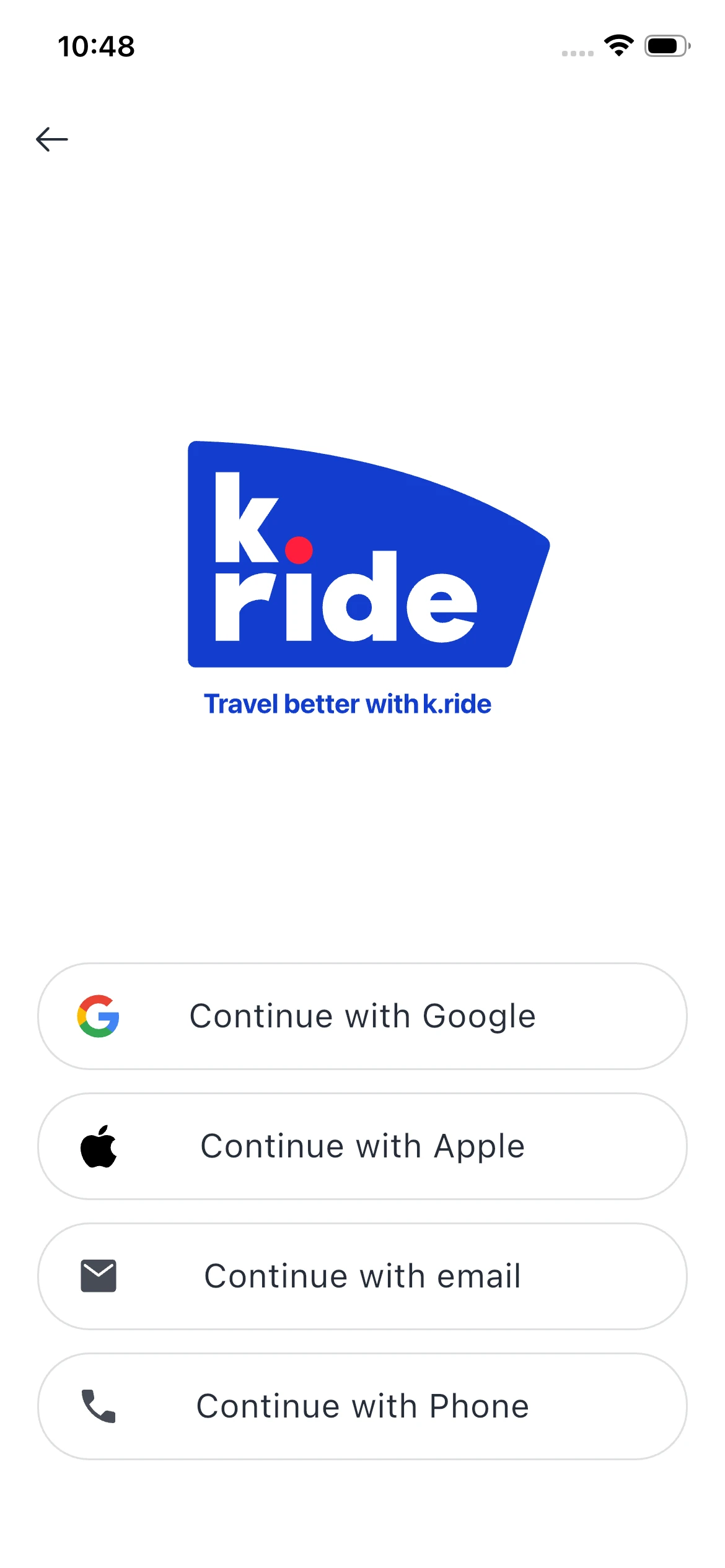
Step 1: Download the App
Search for k.ride in the App Store (iOS) or Google Play (Android). Install it.
Step 2: Sign Up
Open the app and tap Sign Up. You’ll see four options:
- Continue with Google
- Continue with Apple
- Continue with email
- Continue with Phone
Pick whichever you use most often. I went with Google because it auto-fills everything and I’m lazy.
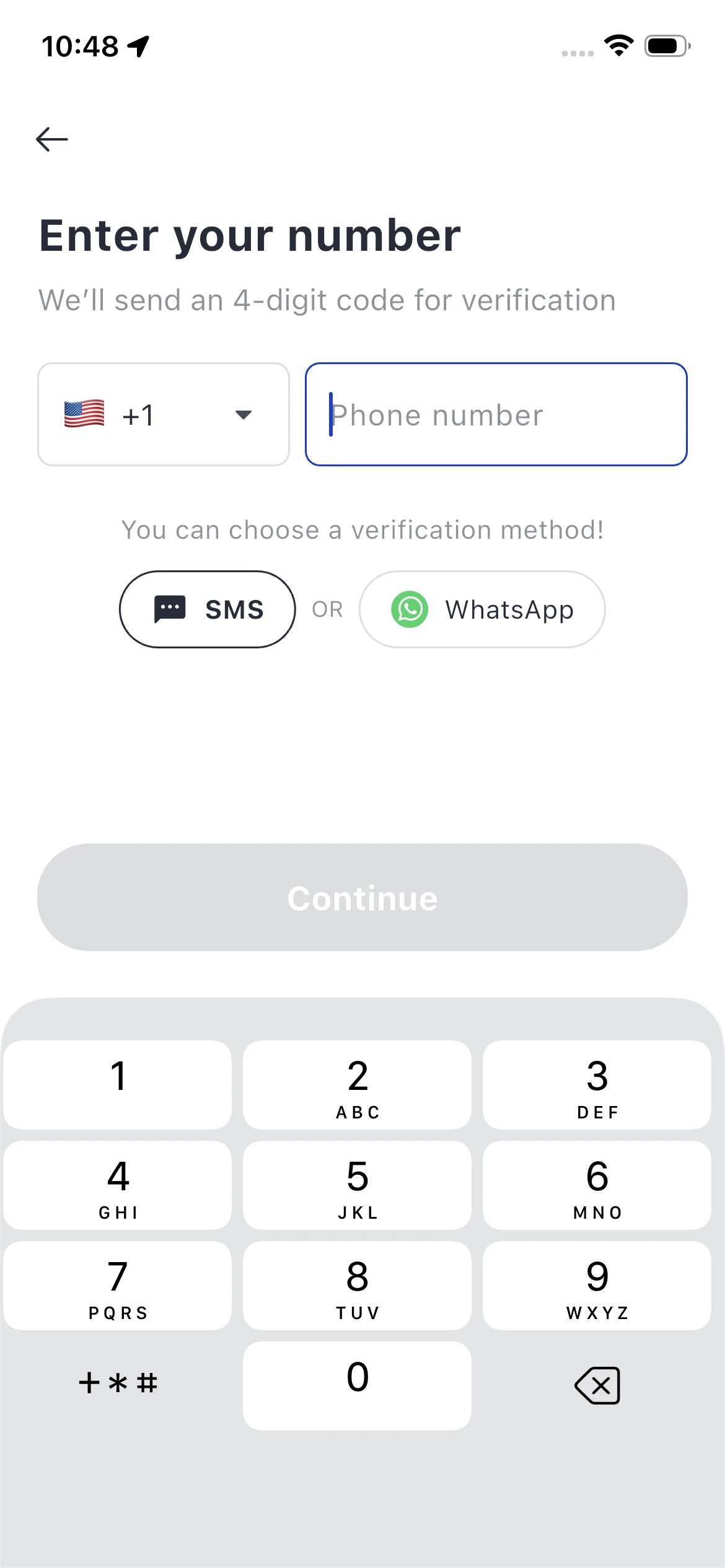
Step 3: Verify Your Phone Number
You’ll need to verify a phone number — but it doesn’t have to be Korean. Enter your home country number (with the correct country code), and k.ride will send you a 4-digit SMS code. You can also use WhatsApp verification if SMS isn’t working.
This is one of the big reasons k.ride is the go-to taxi app in Korea without a Korean number — it actually works with international numbers from the start.
Step 4: Add Your Payment Method
Tap the profile icon (usually bottom-right), go to Payment Methods, and add your card. k.ride accepts:
- Visa
- Mastercard
- JCB
- UnionPay
- Alipay+ / WeChat Pay
Just enter your card details like you would on any other app. No Korean bank account, no extra verification steps. It takes about 30 seconds.
Pro tip: Add a backup card if you have one. I’ve had one card randomly decline on international transactions (bank fraud alert), and having a second card saved me from being stuck.
Booking Your First Taxi with k.ride
Once you’ve landed in Korea and have a data connection (Wi-Fi, local SIM, or roaming), here’s how to actually call a ride.
Step 1: Open the App and Set Your Pickup Location
The app opens to a map screen. Your current location should auto-populate as the pickup point. If it’s slightly off (happens in big buildings or underground), drag the pin to adjust it.
Step 2: Enter Your Destination
Tap the search bar at the top and type your destination in English. You can enter:
- Hotel names (“Lotte Hotel Seoul”)
- Tourist attractions (“Gyeongbokgung Palace”)
- Addresses (more reliable if you copy-paste from Naver Map — I’ll explain why in a sec)
If you’re using Naver Map for navigation, you can copy the Korean address from there and paste it into k.ride’s search bar. This usually gives you the most accurate pin drop, especially for smaller alleys or newer buildings.
Step 3: Choose Your Taxi Type
k.ride offers three types:
- Regular: Standard sedan, basic meter fare. Good for 1–3 people with light luggage.
- Black: Premium large sedan, higher fare. Quieter, more comfortable — I use this when I’m jet-lagged and just want a smooth ride.
- Venti: Large van, higher fare. Best for 4+ people or when you’ve got multiple suitcases.
Fair warning: k.ride sometimes defaults to suggesting Venti even when you’re traveling solo. Always double-check which taxi type is selected before you hit “Call Taxi” — you don’t want to pay van pricing for a one-person trip.
Step 4: Review the Fare Estimate and Call
The app shows you an estimated fare and wait time. The fare includes the meter cost plus k.ride’s service fee (which varies based on demand). Tap Call Taxi.
Step 5: Track Your Driver
Once matched, you’ll see:
- Driver’s name
- Car model and license plate number
- Real-time GPS location on the map
- Estimated arrival time
You can also open the in-app chat if you need to clarify your pickup spot (more on that below).
Step 6: Ride and Auto-Pay
Get in, confirm the destination, and ride. When you arrive, the app charges your registered card automatically. No fumbling for cash, no card machine awkwardness — just say thank you and hop out.
Pricing, Fees, and Late-Night Surcharges
k.ride uses Korea’s official meter rates as the base fare, then adds a service fee on top (this fee fluctuates based on demand and taxi type). The good news: the fare estimate you see before booking includes everything, so there are no surprise charges.
Late-Night Surcharges in Seoul
Korean taxis add surcharges at night, and k.ride reflects this in your fare estimate:
- 10 PM – 4 AM: 20% surcharge
- 11 PM – 2 AM: Up to 40% surcharge (peak demand hours — lots of people leaving bars and clubs)
So if you’re taking a taxi back to your hotel after dinner in Hongdae at midnight, expect the fare to be noticeably higher than the same trip at 6 PM. It’s not k.ride gouging you — it’s the official city taxi policy.
Sample Fares (Rough Estimates, 2025)
- Incheon Airport Terminal 1 → Myeongdong (Seoul): ₩60,000–75,000 ($45–56 USD)
- Hongdae → Gangnam: ₩15,000–20,000 ($11–15 USD)
- Seoul Station → Itaewon: ₩8,000–12,000 ($6–9 USD)
These are ballpark figures. Actual fares depend on traffic, route, time of day, and which taxi type you pick.
Things You Should Know Before Using k.ride
Coverage Reality Check
k.ride technically works nationwide, but in practice, dispatch is concentrated in Seoul and Incheon (including the airport area). In cities like Busan, Jeju, or Gyeongju, you might call a ride and… just wait. And wait. If you’re traveling outside the capital region, have a backup plan: flag down a regular taxi or use Kakao T’s pay-to-driver option if you’ve set it up.
Destination Search Can Be Finicky
Even when you type in English, search results sometimes display in Korean, which can be confusing. The most reliable method I’ve found: open Naver Map, find your destination, copy the Korean address or place name, then paste it into k.ride’s search bar. Works like a charm.
No Pay-to-Driver Option
Unlike Kakao T, k.ride doesn’t let you pay the driver directly in cash or with a physical card. You must have a card registered in the app before you can book a ride. If your card gets declined and you don’t have a backup, you’re stuck. (This happened to a friend of mine at 1 AM in Itaewon. Not fun.)
Driver Chat Translation Is Genuinely Useful
The in-app chat auto-translates between you and the driver in real time. You type in English, they see Korean. They reply in Korean, you see English. It supports 133 languages, so it works for most travelers.
I use it mainly for pickup clarifications:
- “I’m standing in front of Exit 3, near the GS25 convenience store.”
- “Can you wait one more minute? I’m coming down from my hotel room.”
It’s not perfect (sometimes the translation is hilariously awkward), but it’s way better than nothing.
Advance Booking Works Well for Airport Runs
k.ride lets you schedule a taxi in advance — super helpful for early morning airport departures or when you’re staying somewhere outside central Seoul where ride availability is unpredictable. I always pre-book if my flight’s before 7 AM.
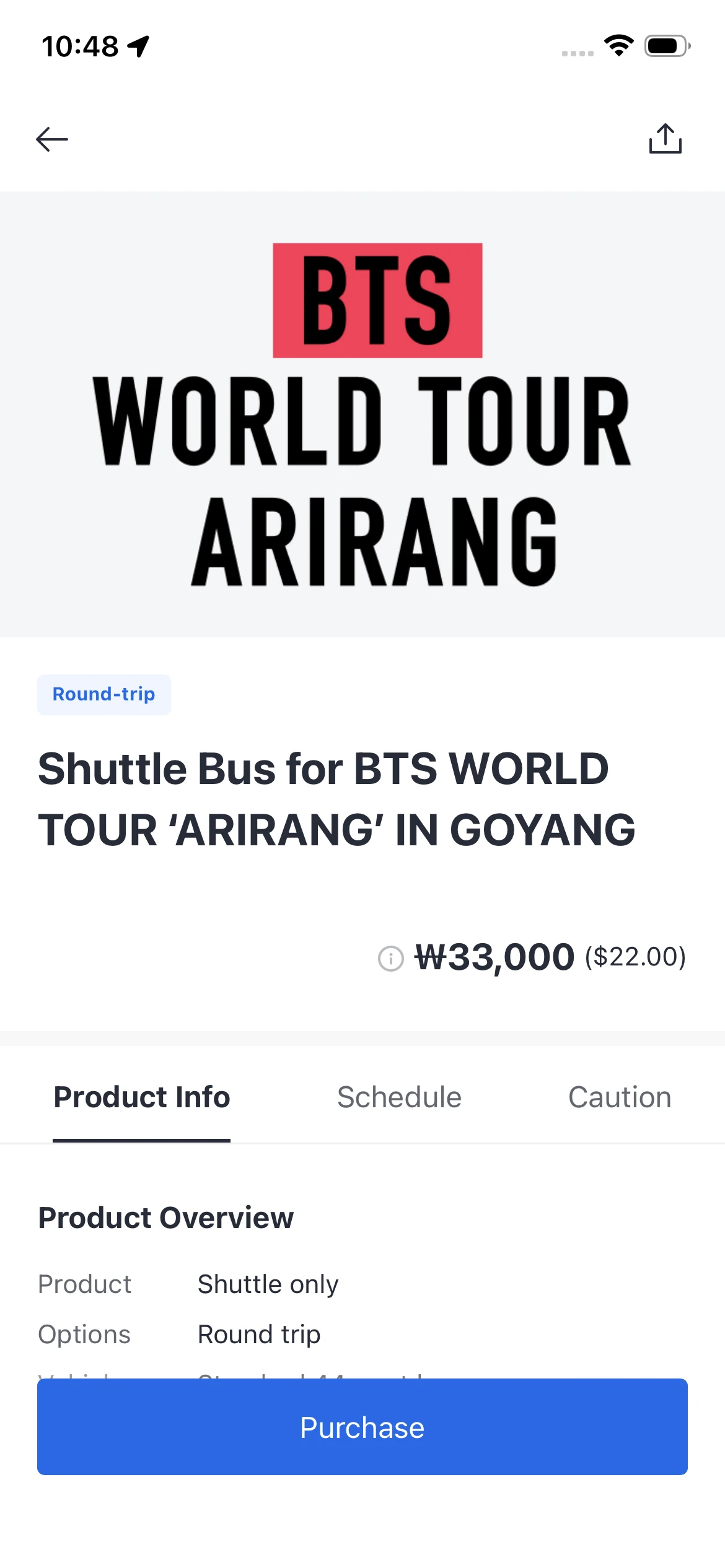
Event-Specific Features and Promos
During major global events (like BTS concerts, K-pop festivals, or international sports events), k.ride sometimes rolls out themed app skins and special promotions for foreign fans. For example, during the BTS World Tour stop in Korea, this taxi app for tourists featured dedicated shuttle booking options and discounted rides to/from the venue.
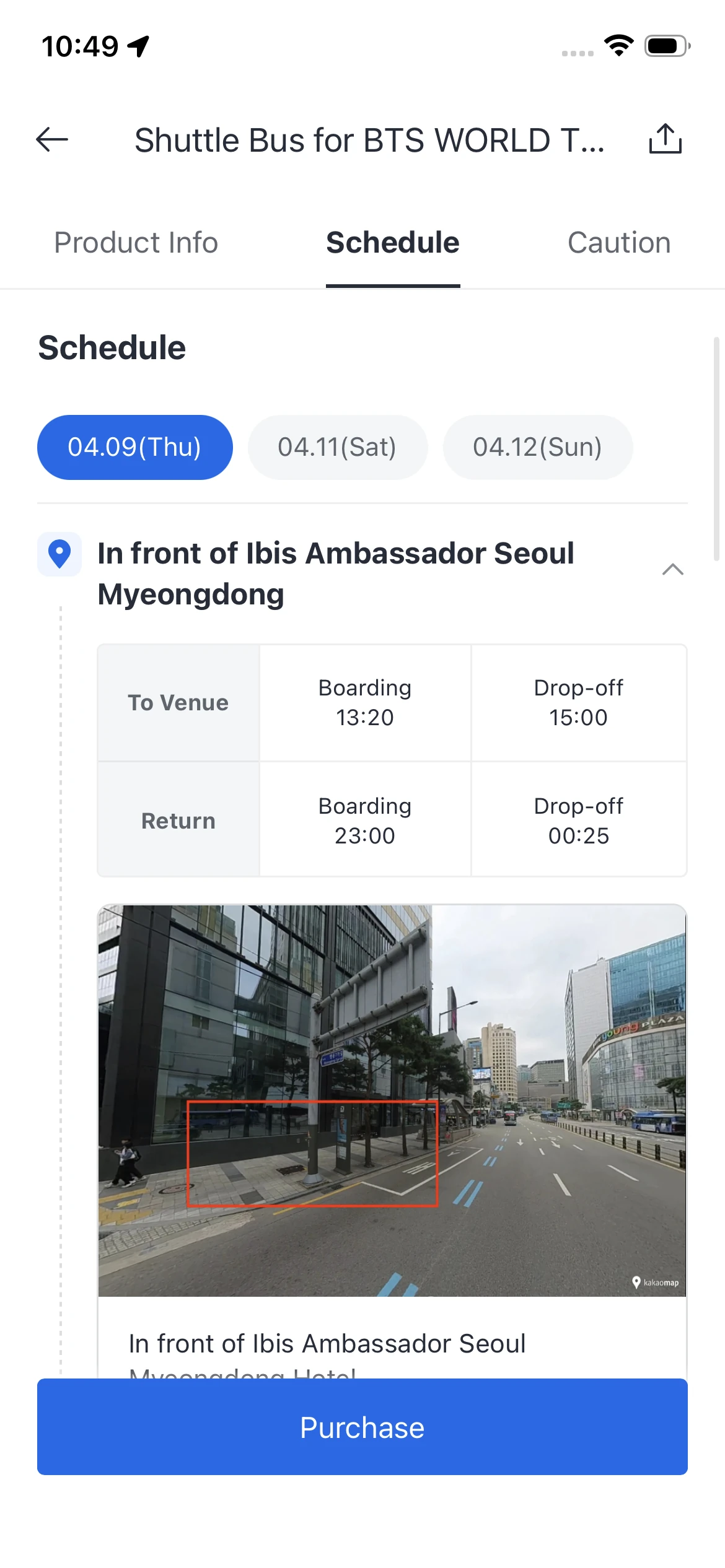
If you’re visiting during a big event, check the app’s homepage or the “Events” tab for any active deals. You might save ₩5,000–10,000 per ride, which adds up fast.
FAQ
Do I need a Korean phone number to use k.ride?
Nope. You can verify your account with a phone number from any country. k.ride sends the confirmation code via SMS or WhatsApp, so as long as you have a working international number, you’re good.
Can I pay with cash in k.ride?
No. k.ride only accepts in-app card payments. You must register a Visa, Mastercard, JCB, or UnionPay card before you can book a ride. If you prefer paying drivers directly in cash, you’ll need to use Kakao T or a regular street taxi instead.
What’s better for tourists: k.ride or Kakao T?
For most short-term visitors staying in Seoul, k.ride is easier because it works with foreign cards and doesn’t require a Kakao account. But if you’re traveling to smaller cities like Busan or Jeju, Kakao T has better coverage — just know that paying by card in-app is tricky without a Korean number, so you’d likely use the “pay driver directly” option.
Honestly, install both. Use k.ride in Seoul, and switch to Kakao T (or regular taxis) elsewhere.
Does k.ride work at Incheon Airport?
Yes, and it’s one of the most common use cases. After you clear customs and grab your luggage, connect to the airport Wi-Fi, open k.ride, and book a ride to your hotel. Pickup is usually at the designated taxi stands outside the arrivals hall. The app will show you which zone to go to. Fare from Incheon to central Seoul typically runs ₩60,000–75,000 ($45–56 USD), depending on traffic and time of day.
For more details on getting around Seoul after you land, check out our guide on using Naver Map for subway and bus routes.
k.ride is hands-down the easiest way to book a taxi in Korea if you’re a tourist without a local phone number. Set it up before you fly, add your card, and you’re done. The driver chat translation and automatic payment make everything smoother, especially when you’re jet-lagged and just want to get to your hotel without drama.
If you’re planning to explore beyond Seoul, download Kakao T as well — between the two apps, you’ll have pretty much all your ground transportation covered. And if you run into any quirks or have questions about using k.ride in specific neighborhoods, drop a comment below. I’m happy to help!